Updated 18 September 2026. Since this article was first published, Wispr has renamed and split the privacy setting I originally recommended, added meeting recording and changed some of its team controls. It also invalidated its previous security certifications and began the audit process again. This update reflects Wispr's published documentation as of 18 September 2026, including places where its current documentation does not completely agree with itself. Originally published 22 May 2026.
Wispr Flow had been on my radar for months, and every time it came up I scrolled past it with the quiet confidence of someone who has already decided. I use AI daily, and most tools have voice input so I already have it covered. To me it was just another subscription for something essentially already in the stack. Read on to find out why I changed my mind.
There was a second reason I had not tried it. My primary machine runs Windows ARM64, and Wispr Flow does not currently support that architecture. When I looked into whether there was a workaround, the privacy concerns I had already read about made it easier to leave the question alone. No clean compatibility path, plus a tool with a documented history of capturing screenshots and routing audio through US cloud infrastructure, added up to a fairly easy pass.
What changed my mind was giving it a proper week on a different machine, and what I found was that the wrong assumption I had made about what the tool was mattered more than either of the barriers that had kept me from trying it.
The assumption: dictation is dictation, and I already have it. That is not what Wispr Flow is.
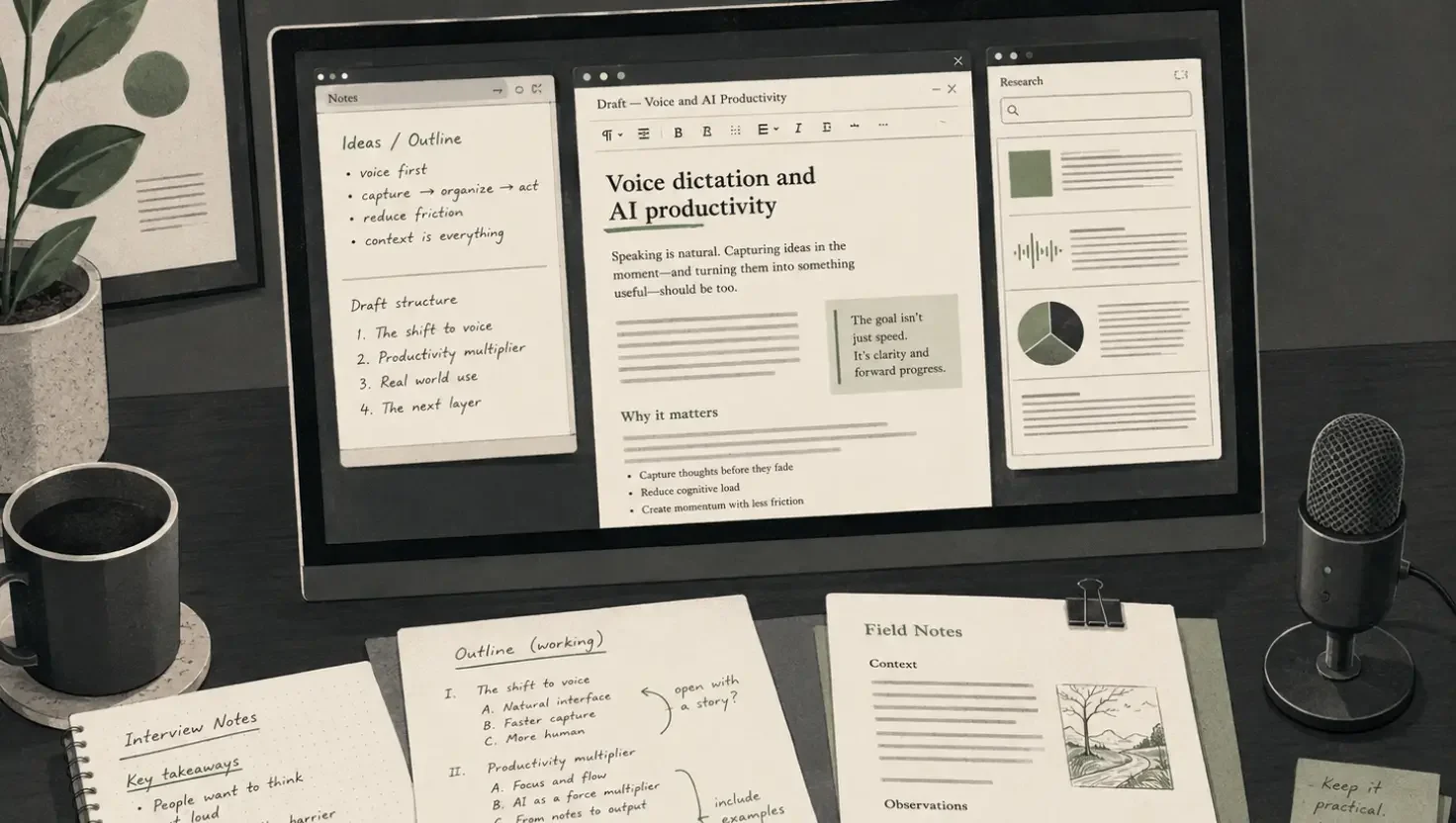
I gave it a proper week. What shifted wasn't the headline feature. It was a specific moment partway through the week when I was working through feedback on a brief. I had the original document open, a thread of comments from a collaborator in another window, a Slack conversation running alongside it and Claude open to help me work through each point. The old workflow would have meant copying text across, switching windows, losing my thread, starting again. Instead I just talked, moving between documents, checking a comment, looking back at the draft, carrying on speaking without breaking the working session. Wispr Flow routes to wherever your cursor is, so the switching doesn't interrupt the thinking.
And that was my a-ha moment.
What it is
Wispr Flow intercepts every text input field across your system, whether that is Gmail, Notion, Slack, Claude, a Google Doc or a web form, and converts what you say into cleaned, formatted text, adjusting for the type of field you are writing into. A message to a colleague comes out differently to a strategic document.
The mechanism that makes it useful beyond basic transcription is cursor focus routing: text lands in whichever window is active. It sounds like a small thing. In practice it means you can move around your desktop, pick up and put down different documents and narrate across all of them without copying, pasting or losing your working context, which is a genuinely different way of operating for anyone whose work involves considering several threads at once.
The app runs on Mac, Windows, iOS and Android. Mac is the most stable; Windows support launched in early 2025 and is functional but less polished based on independent reviews. Windows ARM64 is still not officially supported, which rules out a growing number of machines running that architecture, though see the section below on what happens if you try it anyway. The mobile app opens up a different use case covered below.
The use cases worth knowing about
Multi-document problem solving. The brief revision scenario above is the one that changed how I think about the tool. Brief-based creative work is almost always multi-document: the original brief, the feedback, the reference material, the draft, the client thread. The friction has always been context-switching. Wispr Flow doesn't eliminate that switching; it means the switching no longer breaks your voice or your train of thought.
Richer prompts to AI tools. When the cost of typing limits how much context you give, your prompts get shorter and less useful. Speaking removes that friction. Prompts that would have been two sentences become full paragraphs because it costs nothing to include the full picture. If you use Claude, ChatGPT or Perplexity regularly, the quality difference in outputs when you brief properly is not subtle.
Thinking on a walk. The mobile use case is one I had used before and consistently underestimated. The value is less about capturing on the move and more about what happens to the quality of thinking when you are not staring at a screen. Walking and talking through a problem produces different, often better, material than sitting and typing at it. Wispr Flow on your phone captures those unscrambled thoughts without requiring you to format them in the moment, so you come back to something workable rather than a fragmented set of notes.
Snippet automation. A power-user feature that earns its place for repeatable workflows. Set a trigger phrase, say it and a full block of text drops in, whether that is a scheduling link, a brief template opener, a standard outreach message or a prompt you use repeatedly. For anyone who finds themselves copy-pasting the same text multiple times a day, this is a meaningful time saving.
Auditory thinkers and neurodiverse working patterns. Most Wispr Flow coverage frames this as accessibility, which undersells it. For people who think better by talking than by writing, speaking is the primary cognitive interface, and the keyboard has always been the workaround. Wispr Flow doesn't help those people adapt to keyboard-first tools; it gives them a different interface entirely. The same applies to anyone whose thoughts move faster than their typing, anyone who over-explains in written form and wants a tool that edits that out, and anyone who finds that talking through a problem produces sharper thinking than writing through it.
Four months on, and 374,948 words
Two things have changed since May, and both are worth recording because they are the sort of thing a review written in a single week cannot tell you.
The first is volume. Four months in, I have dictated 374,948 words through this tool. That is not a number I set out to reach, and it is the clearest answer I can give to whether the habit stuck.
The second is the machine. In May I wrote that my primary device runs Windows ARM64 and that Wispr Flow does not support it, so I ran the trial on a different machine. Wispr still lists ARM-based Windows devices as unsupported, and the app is documented as refusing to start with the message that it requires x64 architecture. I am nonetheless now running the x64 build on Windows ARM every day, through Microsoft's emulation layer. Task Manager reports the Wispr processes as x64, which is exactly what you would expect from emulated code, and it has been stable enough that I stopped thinking about it.
Be clear about what that is. It is undocumented and unsupported. Wispr has not sanctioned it, has not tested it and owes you nothing if it breaks after an update. I am reporting what happens on my machine, not telling you it will work on yours, and I would not build a team's workflow on it. If you have an ARM laptop and you were writing the tool off on compatibility grounds alone, it is worth ten minutes of your time to find out. Just do not put it on the critical path for anything that matters until you have lived with it for a while.
What you need to configure before using it on work that matters
Wispr Flow had a significant privacy incident in late 2025. A user monitoring network traffic found the app capturing screenshots of active windows and transmitting them to cloud servers as part of its Context Awareness feature, without clear prior disclosure. Wispr's initial response included banning the user who raised the concern, which compounded the reputational damage considerably. The CTO subsequently issued a public apology, the privacy policy was updated and meaningful changes were made to data handling.
The situation is materially better than it was, but it still requires your active attention, and the controls are no longer where this article originally told you to find them.
The setting I recommended has been renamed and split in two. In May there was one thing to turn on, Privacy Mode, and it did two jobs at once. Those jobs now sit behind separate decisions, and conflating them is the easiest mistake to make here.
The first is whether your dictation is used to evaluate, train or improve AI models. Wispr now surfaces this as Improve the model for everyone, which is the old Privacy Mode inverted: where you once switched protection on, you now switch participation off.
The second is Dictation cloud storage, which governs whether your transcripts, audio and dictation history are kept on Wispr's servers at all. It is a different question with a different answer, and turning off model training does nothing to it.
There is a third decision underneath both, covering what the app keeps on your own machine. Wispr's local data options are to store normally, to delete after 24 hours or never to store, and on a managed team those can be set centrally.
The practical consequence: Wispr's zero data retention position is not one switch. It is the combination of model training off and dictation cloud storage off. Set one and leave the other, and you have half of what you think you have.
Context Awareness is still the feature that needs a decision. It exists because a transcription engine that cannot see what you are working on has no way of knowing that the unfamiliar word you just said is a client's name rather than a near-homophone. Wispr describes it as using limited, relevant text content from the app you are dictating in, to get names and terms right.
That is a reasonable trade for general drafting and a poor one for confidential work, because the material it reads to help you is exactly the material you would not choose to send anywhere. Wispr states that captured context is not retained when model training is off and cloud storage is off, which addresses retention rather than transmission.
I am deliberately not giving you a click-by-click instruction for the toggle. Wispr's current documentation is not consistent about how this control is exposed across platforms and versions, and a confident instruction that turns out to describe last quarter's interface is worse than no instruction. Find it in your own settings, confirm what it says on the version in front of you, and decide from there.
Processing happens in the United States, and that is not a setting. This is not on-device transcription. Audio leaves your machine on every use, and Wispr documents US-only processing with no European regional option. Turning cloud storage off changes what is kept afterwards; it does not keep the audio on your device in the first place. That distinction is the one most people get wrong.
What Wispr offers instead is contractual rather than architectural: a Data Processing Addendum, EU Standard Contractual Clauses and a UK Addendum for UK GDPR transfers. Whether that is sufficient is not a question the vendor can answer for you, and a supplier saying it is GDPR compliant is a statement about their paperwork, not a conclusion about your processing. If you handle client personal data under contractual obligations, this is the part to take to whoever advises you, with the DPA in hand.
Analytics tracking continues regardless. PostHog, Sentry and Segment telemetry run on all plans. Word counts, usage patterns and app activity are collected and shared with Wispr's enterprise CRM provider, and there is currently no in-app toggle to prevent this. This was the position in May and I have seen nothing to suggest it has changed.
Team governance has three layers, and they are easy to confuse. There is what an individual user can choose in their own settings. There is what a team administrator can enforce from the admin portal, which covers model training, cloud storage, local data retention and Context Awareness, and which overrides individual preference where it applies. Then there are the wider Enterprise controls, including single sign-on, audit logs and device management.
The distinction that matters to a studio director is the middle one. A policy an administrator enforces is verifiable; a setting you have asked everyone to tick is a hope. If you are relying on team-wide privacy behaviour for a client commitment, confirm which of those two you actually have, and which tier your plan puts it behind.
Snippets and the custom dictionary are treated differently from your dictation. They are account configuration rather than transcription output, so Wispr stores them and syncs them across your devices regardless of your model training and cloud storage settings. That is sensible product design, because a dictionary that vanished between machines would be useless, and it is a trap if you have not noticed it.
The practical point: people naturally put their most-repeated text into snippets, and the most-repeated text is often client names, addresses, account references and standard contract wording. Those are exactly the things you have just carefully arranged not to store in the cloud. Think of snippets as account data, not dictation, and put nothing in them that you would not put in your account profile.
The desktop screenshot question has moved rather than closed. Wispr's current documentation describes Context Awareness in terms of text content rather than screen capture, and states that captured context is not retained under the restrictive settings. It does not give the flat, platform-by-platform statement about screenshot capture on Mac and Windows that would settle the question the 2025 incident raised. If that is material to your assessment, ask Wispr for it in writing rather than inferring it.
Security certifications, and why they reset
If you assessed this tool before March 2026, the evidence you assessed it on no longer stands, and this is the single most important change in this update.
Wispr invalidated its earlier SOC 2 Type II and ISO 27001 assurance in March 2026, over integrity concerns at the auditor that issued them rather than anything found in Wispr's own controls. It then restarted the work with a different auditor. A new SOC 2 Type I was completed in April 2026 by A-LIGN, and a SOC 2 Type II observation period is underway with no report yet issued.
ISO 27001 is where I have to stop short. Wispr's current published documentation does not agree with itself about the precise Stage 2 position: one place describes the stages as complete with the certificate pending issuance, and a certificate from the earlier auditor also appears in the record. I am not going to reconcile that by guessing, because a vendor assessment is precisely the context where a confident guess does damage.
What this means in practice is narrow and specific. A Type I report says the controls were designed properly on one day. A Type II says they operated properly over a period, which is the one most procurement processes actually want, and Wispr does not have a current one. If you have Wispr's old certificates sitting in a supplier file, or a vendor questionnaire answered on the strength of them, that file is out of date. Request the current documentation from Wispr's Trust Center and assess what is actually there now.
Notetaker, and recording other people
Wispr has added Notetaker, which records and summarises meetings on Mac and Windows. It is a different proposition from dictation and worth separating in your head.
It asks considerably more of the machine. On Windows the guidance is 16 GB of RAM and 2 GB of free space, and Wispr says plainly that a PC comfortably running Flow dictation may still not meet the bar for Notetaker.
Mechanically, it captures audio on your device rather than joining the call as a visible bot, so nothing appears in the participant list announcing itself. Live transcription connects to Wispr's services, with an offline mode that records locally and transcribes later. Meeting transcripts are held in Wispr's cloud so they sync across your devices and survive a dropped call, which means the storage decisions above apply here too: an administrator enforcing never store in the cloud will stop that syncing.
The part that needs saying out loud is not technical. Because no bot joins, the other people on the call get no automatic signal that they are being recorded. Whatever the law requires where you and they are sitting, the tool has quietly moved the responsibility for telling them onto you. Tell them. It costs one sentence at the top of a call and it is the difference between a useful habit and an awkward conversation later.
Mobile
One caveat rather than a section. Wispr's September documentation is not consistent about which privacy controls are exposed on Android: one page states there is no Data and Privacy settings section there at all, while the data controls page lists Android as a supported platform without qualifying the controls it describes.
I am not going to resolve that from the outside, and I am no longer repeating the flat claim that Android has no such settings, because it may no longer be true. Open the app on the device you actually use, look at what is present on that version, and configure from what you find rather than from anything written about it, including this.
The practical guidance
Turn off model training and turn off dictation cloud storage. That pair is the thing, not either one alone. Decide on Context Awareness by the work in front of you: leave it on for general drafting, turn it off for anything client-specific or commercially sensitive. Keep client identifiers out of snippets and the custom dictionary, because those sync regardless. For anything involving personal data, client data or work covered by data processing obligations, satisfy yourself that the architecture meets your requirements before proceeding, and take advice rather than relying on the terms of service.
For UK and EU businesses specifically, the US data routing is worth a conversation with whoever handles your data governance, with the DPA and the UK Addendum in front of you. It may be entirely fine for your situation, or it may require specific contractual clauses with clients. The point is to make that decision deliberately. If you are filling in a vendor assessment, get the current assurance documents from the Trust Center rather than reusing what you were given before March 2026.
Used with that configuration in place, the tool is genuinely worth the trial. The multi-document workflow benefit compounds. The auditory thinking use case is underserved by most tools in the market. The responsible path is to configure it correctly, understand what it does and does not protect, and use it where it makes sense.
Try it
At the time of writing, Wispr Flow offers a two-week Pro trial at no cost. Running it properly, with both storage and training settings configured from day one, gives you a reliable read on whether the multi-document workflow makes the difference it made for me. Most people who try it for a full week either adopt it or identify clearly why it does not fit their working pattern. Productivity tools of this kind tend to click quickly or not at all, and either way you will know. wisprflow.ai
A note on how this was made: background research was conducted using Perplexity Deep Research, including a targeted follow-up on Wispr's privacy architecture drawing on Wispr's own current documentation, and a second research pass to surface the most commonly searched user questions. Claude was used for drafting and structural editing, Wispr Flow was used to refine the article and analyse the research. I used ChatGPT to generate the article image and SEO. The framing, the use cases, the privacy assessment, the editorial judgement and every significant decision along the way were mine. The September 2026 update was researched against Wispr's own published documentation, checked claim by claim, and left unresolved where that documentation contradicts itself.
Frequently asked questions
Privacy controls, pricing and tool behaviour move quickly. The answers below reflect what Wispr publishes as of 18 September 2026, including places where its own documentation does not agree with itself. Where an answer is particularly likely to change, that is noted.
Is Wispr Flow safe to use?
It depends on what you are using it for and how you configure it. Configured properly, with model training off, dictation cloud storage off and Context Awareness decided deliberately, it is a reasonable choice for general drafting and personal productivity work. For confidential client material, commercially sensitive content or personal data, the configuration decisions and compliance questions in this article need answering first, and you should be working from Wispr's current assurance documents rather than the ones it issued before March 2026. The tool has a credible privacy incident in its recent history; the response was handled imperfectly but the subsequent changes were meaningful. Informed use with correct settings is a different proposition from using it out of the box.
Is Privacy Mode still called Privacy Mode?
Not in the app, and this is the change most likely to catch out anyone who set this up earlier. The single Privacy Mode switch has been renamed and split into two separate settings. Wispr's own documentation does still use the phrase, so you will see both, which does not help. Model training now appears as Improve the model for everyone, which is the old control inverted: you switch participation off rather than switching protection on. Storage is governed separately by Dictation cloud storage. If you enabled Privacy Mode months ago and have not looked since, check both, because they are now independent of each other.
Is my data used to train AI models?
Only if you leave model training enabled. Turning off Improve the model for everyone stops your dictation being used to evaluate, train or improve AI models. What it does not do is stop your transcripts, audio and dictation history being stored on Wispr's servers; that is the separate Dictation cloud storage setting. Wispr's zero data retention position requires both: training off and cloud storage off. Doing one and assuming it covers the other is the most common mistake here.
What happens to my audio?
It leaves your device. Audio is processed on Wispr's US infrastructure on every use, and then what happens to it depends on your settings. With cloud storage off it is not retained on Wispr's servers, and with model training off it is not used to improve models. Those settings govern what happens after processing, not whether processing happens off-device. There is a separate decision about what the app keeps on your own machine, where the options are to store normally, to delete after 24 hours or never to store.
Does Wispr Flow run locally?
No. This is a cloud transcription service with a local app in front of it, not on-device transcription. If you need an architectural guarantee that audio never leaves your machine, rather than a contractual promise about what happens to it once it has, Wispr Flow is not the product for that and no combination of settings will make it one.
Is Wispr Flow always listening?
No. The default is push to talk: Flow records while you hold the hotkey and stops when you release it. There is also a hands-free mode, started and stopped with its own shortcut, which keeps recording between those two presses. That mode is opt-in and under your control, but it is the one to be conscious of, because the whole point of it is that you are not holding anything down to remind you it is running.
Does Wispr Flow take screenshots of my screen?
Not according to its current documentation, which describes Context Awareness in terms of reading limited, relevant text content from the app you are dictating in, rather than capturing images of it. What is still missing is the flat, platform-by-platform statement about screenshot capture on Mac and Windows desktop that would properly close the question raised by the 2025 incident. If that matters to your assessment, ask Wispr for it in writing rather than inferring it from the absence of a claim.
What does Context Awareness do, and should I turn it off?
It lets Flow use text content from the app you are dictating in, so it can get names, jargon and client-specific terms right instead of guessing at them phonetically. For general drafting it earns its place. For confidential briefs, client material or commercially sensitive content, turning it off is the cleaner choice, because the content it reads to help you is exactly the content you would not otherwise send anywhere. Wispr says captured context is not retained when training and cloud storage are off, which is a statement about retention rather than transmission. Check how the control appears on the version you are running, because Wispr's documentation is not consistent about that across platforms.
Does Wispr Flow send data to OpenAI or other providers?
Audio is processed through third-party infrastructure providers as well as Wispr's own systems. The subprocessor list used to be published openly; it is now Annex 2 of the Data Processing Addendum, available under NDA through Wispr's Trust Center. That is a meaningful change if you need to name subprocessors in a client contract or a supplier assessment, because you now have to request the list rather than read it. Ask for the DPA if this matters to you.
Is Wispr Flow GDPR compliant?
That is not a question any vendor can answer for you, and a supplier who says yes without qualification is describing their paperwork rather than your processing. The relevant facts: processing happens in the United States, there is no UK or EU regional processing option currently documented, and Wispr provides contractual mechanisms for the transfer, namely a Data Processing Addendum, EU Standard Contractual Clauses and a UK Addendum for UK GDPR. Whether that combination satisfies your obligations depends on what data you are dictating, what you have promised clients and what your sector requires. Get the DPA, read it against your own commitments and take advice if there is any doubt.
What about the EU AI Act?
Separate question, separate answer. Wispr Flow is an AI system that processes personal data and shapes written output, so it is worth assessing against your obligations if you work with European clients or operate under EU jurisdiction. The transparency obligations are the ones most likely to be relevant to a tool like this. We have written about what the EU AI Act transparency rules mean for UK businesses separately. As with GDPR, the tool's privacy policy does not answer this for you.
Can I enforce settings across my team?
There are three layers and they are worth keeping straight. Individual users choose settings for themselves. Team administrators can enforce policy from the admin portal, covering model training, cloud storage, local data retention and Context Awareness, and an enforced policy overrides individual preference. Beyond that sit wider Enterprise controls such as single sign-on, audit logs and device management. The layer that matters for a client commitment is the middle one, because an enforced policy is verifiable and a setting you asked everyone to tick is not. Confirm with Wispr which of these your plan tier actually includes before relying on it.
Are snippets and custom dictionary entries private?
They are treated as account configuration rather than dictation, which means Wispr stores them and syncs them across your devices regardless of your model training and cloud storage settings. That is deliberate and sensible, since a dictionary that did not follow you between machines would be pointless, but it catches people out. Snippets tend to accumulate exactly the things you would not choose to store in the cloud: client names, addresses, account references, standard contract wording. Treat them as account data and keep sensitive client detail out of them.
Does Wispr Flow store my voiceprint?
No. Wispr states that it does not collect, derive or store voiceprints, voice embeddings or any other biometric identifier. That is a useful thing to be able to point at in a supplier assessment, because voice tools are routinely assumed to do this and biometric data carries its own obligations.
Can Wispr Flow record and summarise meetings?
Yes, through Notetaker, on Mac and Windows. It captures audio on your device rather than joining the call as a bot, so it works across the usual platforms without appearing in the participant list. It needs a more capable machine than dictation does, with Windows guidance of 16 GB of RAM and 2 GB of free space, and Wispr notes that a PC comfortably running dictation may not meet that bar. Transcripts are held in Wispr's cloud so they sync across devices, so your storage settings apply here too. The thing to be deliberate about is that because no bot joins, nobody else on the call is automatically told they are being recorded. That responsibility is yours.
Does Wispr Flow read text aloud?
No. It is dictation, meaning speech to text, and nothing in its current documentation describes reading text back to you. If you need text to speech, that is a different category of tool.
Does Wispr Flow have an API?
Not any more. The Wispr Flow API has been sunset. If you were considering building anything on top of it, that route is closed. Data export is still available and covers account information, notes, dictionaries and your dictation history where cloud storage is on; dictation held only on your own machine is not part of the export.
Does Wispr Flow work on Windows ARM?
Officially, no. Wispr lists ARM-based Windows devices as unsupported and the app is documented as refusing to start with a message that it requires x64 architecture. In practice, I have been running the x64 build on Windows ARM through Microsoft's emulation layer for months, with Task Manager showing the processes as x64, and it has been stable enough to use daily. That is undocumented, unsupported and entirely at your own risk, and it could stop working with any update. Worth trying if compatibility was your only reason for ruling the tool out. Not worth building a team's workflow on.
Does it work on iPad, Linux or virtual machines?
No. Wispr lists iPad, Linux, Chromebooks, virtual machines and remote desktop environments as unsupported. The virtual machine and remote desktop exclusion is the one that catches people out, because it rules out a lot of managed and locked-down corporate setups.
Does it work on Windows?
Yes, on x64. Windows support launched in early 2025 and the app is functional, though independent reviewers consistently describe it as less polished and less stable than the Mac version. Windows ARM is a separate question, answered above.
Is Wispr Flow the same as OpenAI Whisper?
No. OpenAI Whisper is an open-source speech recognition model. Wispr Flow is a separate commercial product built by a different company that uses its own AI processing pipeline. The similar names cause genuine confusion; they are unrelated.
Is Wispr Flow worth £15 a month?
For anyone whose work involves regular drafting across multiple tools or documents, and who is willing to configure it properly and give it a full week, yes. The compounding benefit of not breaking your working context every time you switch windows is real, and it is hard to appreciate until you have experienced it. For light or occasional use, the free tier's word limits will likely constrain you before you get a reliable read on the value.
Does it remove filler words automatically?
Yes. Wispr Flow applies AI editing to clean transcriptions in context, removing filler words and adjusting formatting based on the type of field you are writing into. The degree of cleaning can be configured in settings, including the option to trim over-explanation if you tend toward providing more context than needed.
Does it work well in open-plan offices?
With caveats. Whisper mode and a directional or gooseneck microphone can make it workable, but the open-plan environment creates two problems. First, background conversations and ambient noise affect transcription accuracy, particularly with omnidirectional microphones or built-in laptop mics. Second, the tool may pick up other people's speech and incorporate it into your dictation without obvious warning. In a week of use I had a couple of moments where a background audio catch caused a silent failure I did not spot immediately. For open-plan environments, a close-microphone setup is not optional; it is a functional requirement.
Why has the transcription suddenly got worse?
A pattern across user reviews is a noticeable drop in accuracy after the free trial ends, which suggests possible quality tiering between trial and paid performance. If this happens, check your language settings first (Settings > General > Languages), then your microphone setup, then raise it with Wispr support. If the degradation persists post-subscription, it is worth noting as a signal rather than dismissing as a settings issue.
How accurate is the transcription?
Generally high with a decent microphone. AirPods or an external close-microphone setup produces noticeably better results than a built-in laptop mic. Run the full trial on your actual working setup, with the microphone you will actually use, to get a reliable read.
Does Wispr Flow work for ADHD?
Multiple users with ADHD report it as significantly beneficial, citing the ability to externalise thinking verbally rather than managing the cognitive load of typing while also thinking. The research corroborates this: one user described it as giving back hours of their day. The friction-reduction benefit for people who think faster than they type is particularly marked.
Can I use it to write better prompts for Claude or ChatGPT?
Yes, and this is one of the more underrated use cases. The quality of AI output is directly related to the quality of context you provide. When typing is the bottleneck, prompts get shorter. Speaking the full picture costs nothing extra, and the difference in output quality when you brief an AI tool properly is consistent and noticeable.
Wispr Flow vs SuperWhisper: which should I choose?
The honest answer depends on what matters most to you. SuperWhisper processes audio locally on your device, which means audio never leaves your machine. For anyone working on confidential client material who wants an architectural privacy guarantee rather than a contractual one, that is a meaningful difference, and the reset of Wispr's security certifications makes it a more pointed one than it was in May. Wispr Flow syncs across devices, applies smarter contextual AI editing and handles the multi-window workflow described in this article more fluidly. If privacy architecture is your primary concern, SuperWhisper is worth evaluating. If cross-device workflow and contextual intelligence are the priority, Wispr Flow has the edge, correctly configured.
If anything in this FAQ no longer reflects Wispr Flow's current policies or pricing, the most accurate source is Wispr's own data controls documentation at docs.wisprflow.ai, and its Trust Center for current assurance reports.